 bevfusion
fcf3ae0ea9
bevfusion
fcf3ae0ea9
🎯 Training Status: - Current Epoch: 2/10 (13.3% complete) - Segmentation Dice: 0.9594 - Detection IoU: 0.5742 - Training stable with 8 GPUs 🔧 Technical Achievements: - ✅ RMT-PPAD Transformer segmentation decoder integrated - ✅ Task-specific GCA architecture optimized - ✅ Multi-scale feature fusion (180×180, 360×360, 600×600) - ✅ Adaptive scale weight learning implemented - ✅ BEVFusion multi-task framework enhanced 📊 Performance Highlights: - Divider segmentation: 0.9793 Dice (excellent) - Pedestrian crossing: 0.9812 Dice (excellent) - Stop line: 0.9812 Dice (excellent) - Carpark area: 0.9802 Dice (excellent) - Walkway: 0.9401 Dice (good) - Drivable area: 0.8959 Dice (good) 🛠️ Code Changes Included: - Enhanced BEVFusion model (bevfusion.py) - RMT-PPAD integration modules (rmtppad_integration.py) - Transformer segmentation head (enhanced_transformer.py) - GCA module optimizations (gca.py) - Configuration updates (Phase 4B configs) - Training scripts and automation tools - Comprehensive documentation and analysis reports 📅 Snapshot Date: Fri Nov 14 09:06:09 UTC 2025 📍 Environment: Docker container 🎯 Phase: RMT-PPAD Integration Complete |
||
|---|---|---|
| .. | ||
| README.md | ||
| main.py | ||
README.md
YOLOv8-Segmentation-ONNXRuntime-Python Demo
This repository provides a Python demo for performing segmentation with YOLOv8 using ONNX Runtime, highlighting the interoperability of YOLOv8 models without the need for the full PyTorch stack.
Features
- Framework Agnostic: Runs segmentation inference purely on ONNX Runtime without importing PyTorch.
- Efficient Inference: Supports both FP32 and FP16 precision for ONNX models, catering to different computational needs.
- Ease of Use: Utilizes simple command-line arguments for model execution.
- Broad Compatibility: Leverages Numpy and OpenCV for image processing, ensuring broad compatibility with various environments.
Installation
Install the required packages using pip. You will need ultralytics for exporting YOLOv8-seg ONNX model and using some utility functions, onnxruntime-gpu for GPU-accelerated inference, and opencv-python for image processing.
pip install ultralytics
pip install onnxruntime-gpu  # For GPU support
# pip install onnxruntime    # Use this instead if you don't have an NVIDIA GPU
pip install numpy
pip install opencv-python
Getting Started
1. Export the YOLOv8 ONNX Model
Export the YOLOv8 segmentation model to ONNX format using the provided ultralytics package.
yolo export model=yolov8s-seg.pt imgsz=640 format=onnx opset=12 simplify
2. Run Inference
Perform inference with the exported ONNX model on your images.
python main.py --model <MODEL_PATH> --source <IMAGE_PATH>
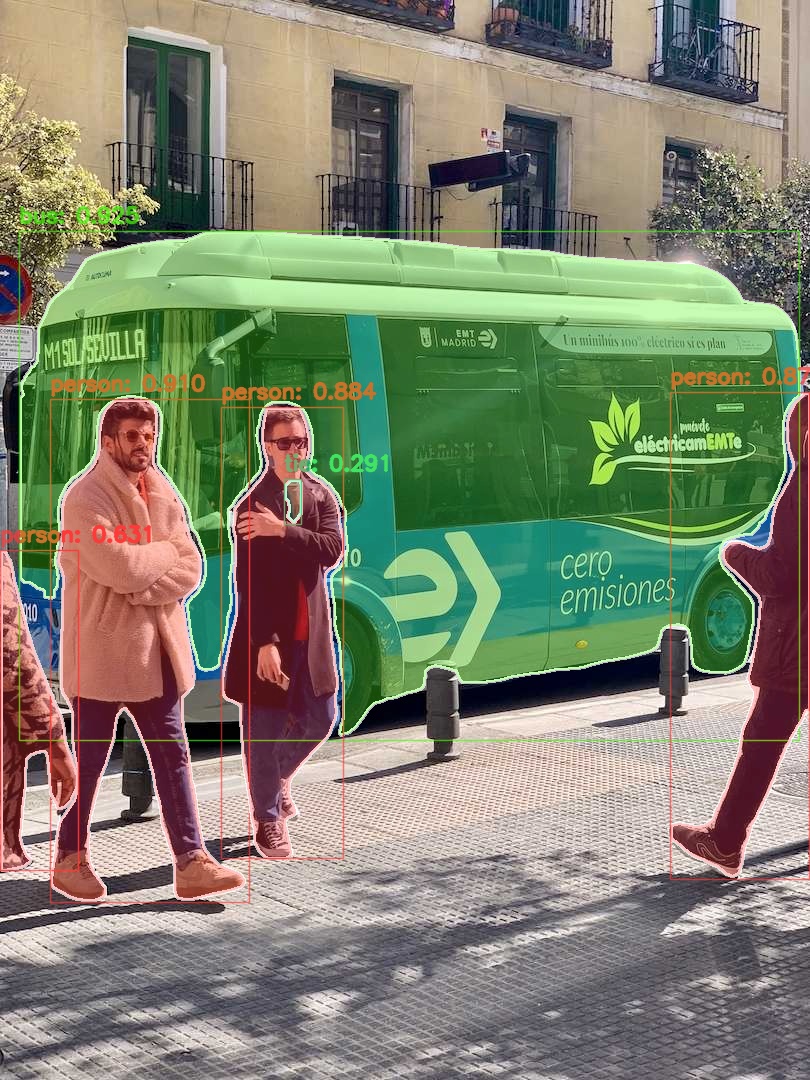
Example Output
After running the command, you should see segmentation results similar to this:
Advanced Usage
For more advanced usage, including real-time video processing, please refer to the main.py script's command-line arguments.
Contributing
We welcome contributions to improve this demo! Please submit issues and pull requests for bug reports, feature requests, or submitting a new algorithm enhancement.
License
This project is licensed under the AGPL-3.0 License - see the LICENSE file for details.
Acknowledgments
- The YOLOv8-Segmentation-ONNXRuntime-Python demo is contributed by GitHub user jamjamjon.
- Thanks to the ONNX Runtime community for providing a robust and efficient inference engine.